
Resource scheduling
Visualize your team's project assignments, overtime, and time off in one place.
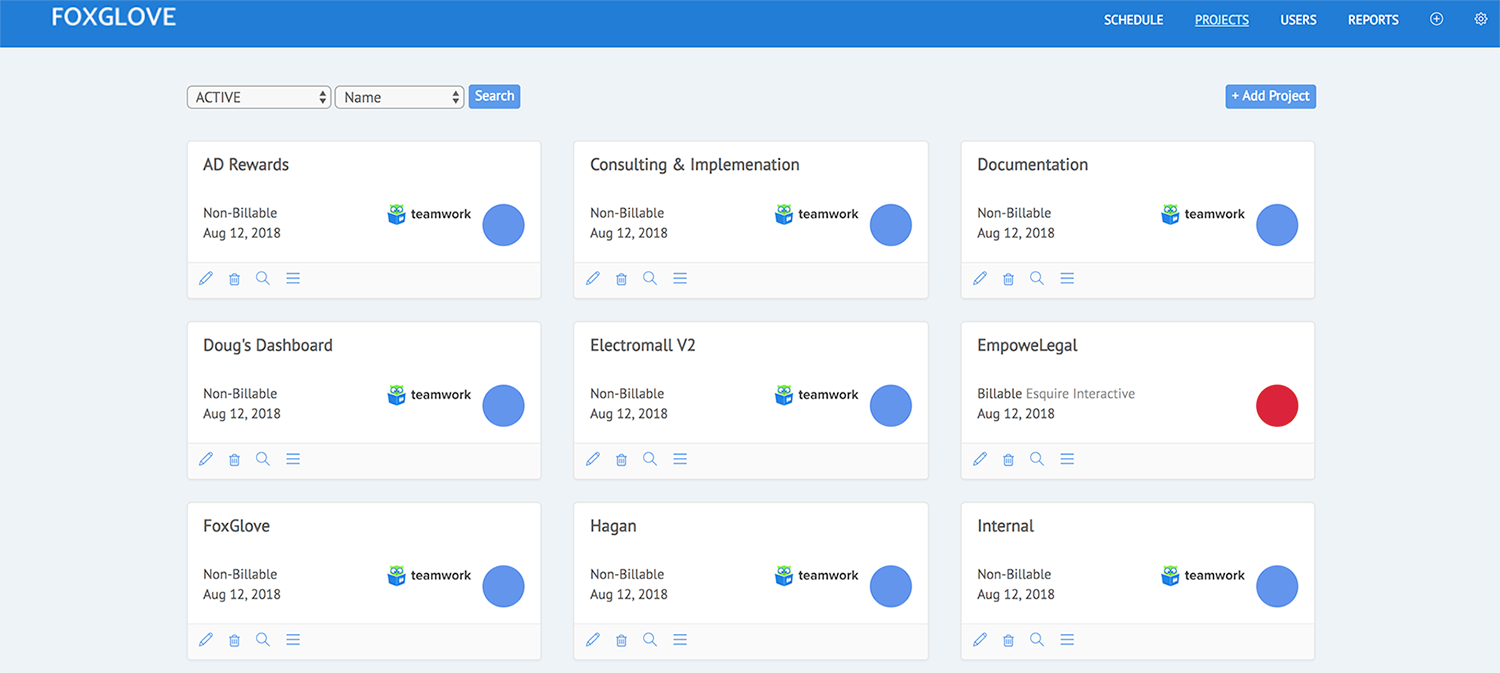
View clear insight
Visualize your project assignments/task, overtime, and time off in one place with clear insight. It gives you a idea your project assignments for the project.
Teamwork API integration
You can link your account with teamwork platform, project data will sync between FoxGlove platform and teamwork platform automatically.
User/Project management functionality
Manage your team and projects separately and later integrate task data over on scheduler control. You can completely view your project information and user information separately.
Powerful Reporting
The reports gives you a visualization of your project data, progress and cost. You get complete idea how your projects are going in process. Drill down to departments, clients, projects, and team members.
Streamline Your Workflow
The scheduler is a bird’s-eye view of who’s working on what and when. It's your one-stop shop for project scheduling and managing your team's utilization.
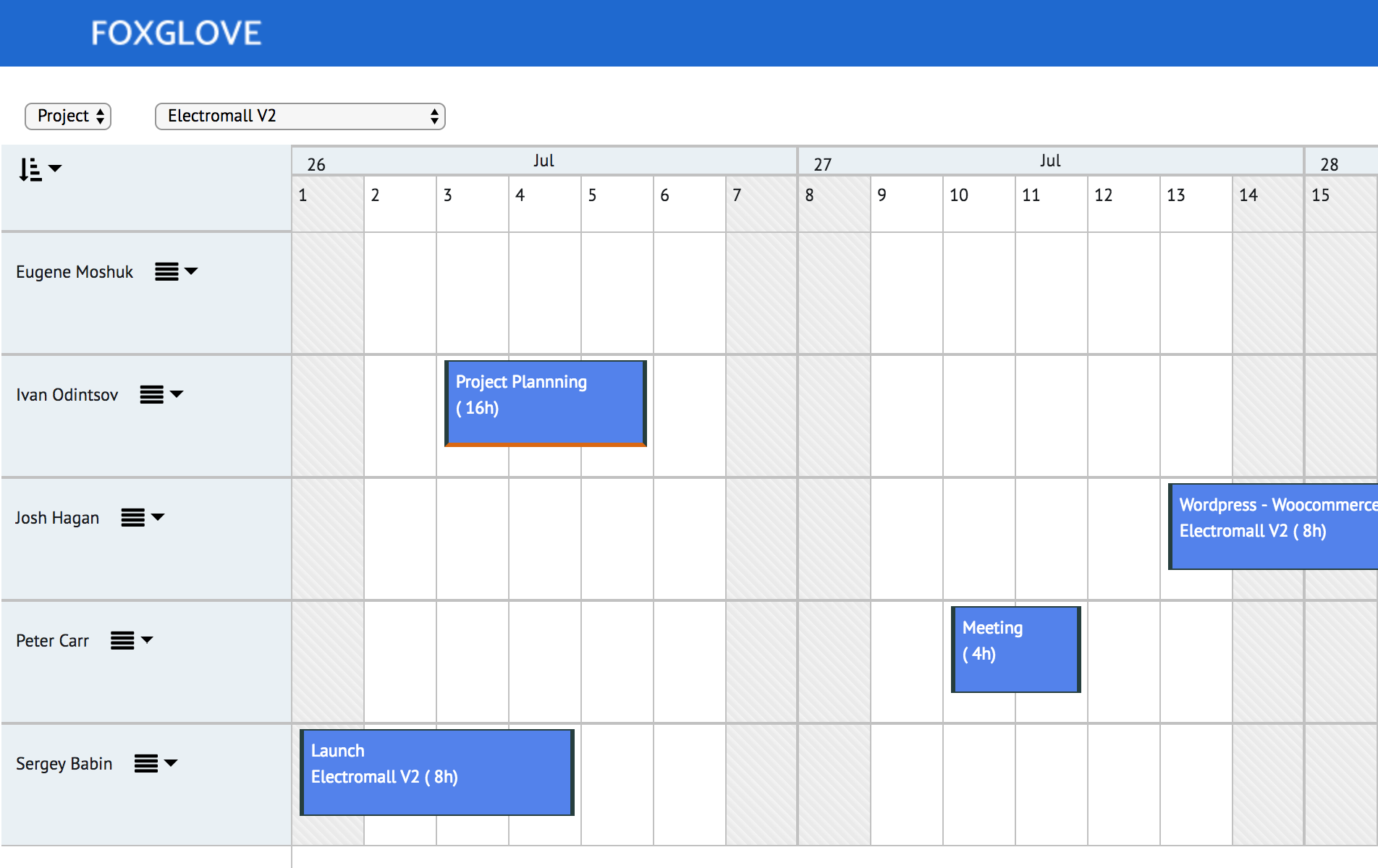
Deliver your projects on time
Manage your project from the schedule with drag and drop task allocation. Our robust reporting will keep track of all of your project hours.
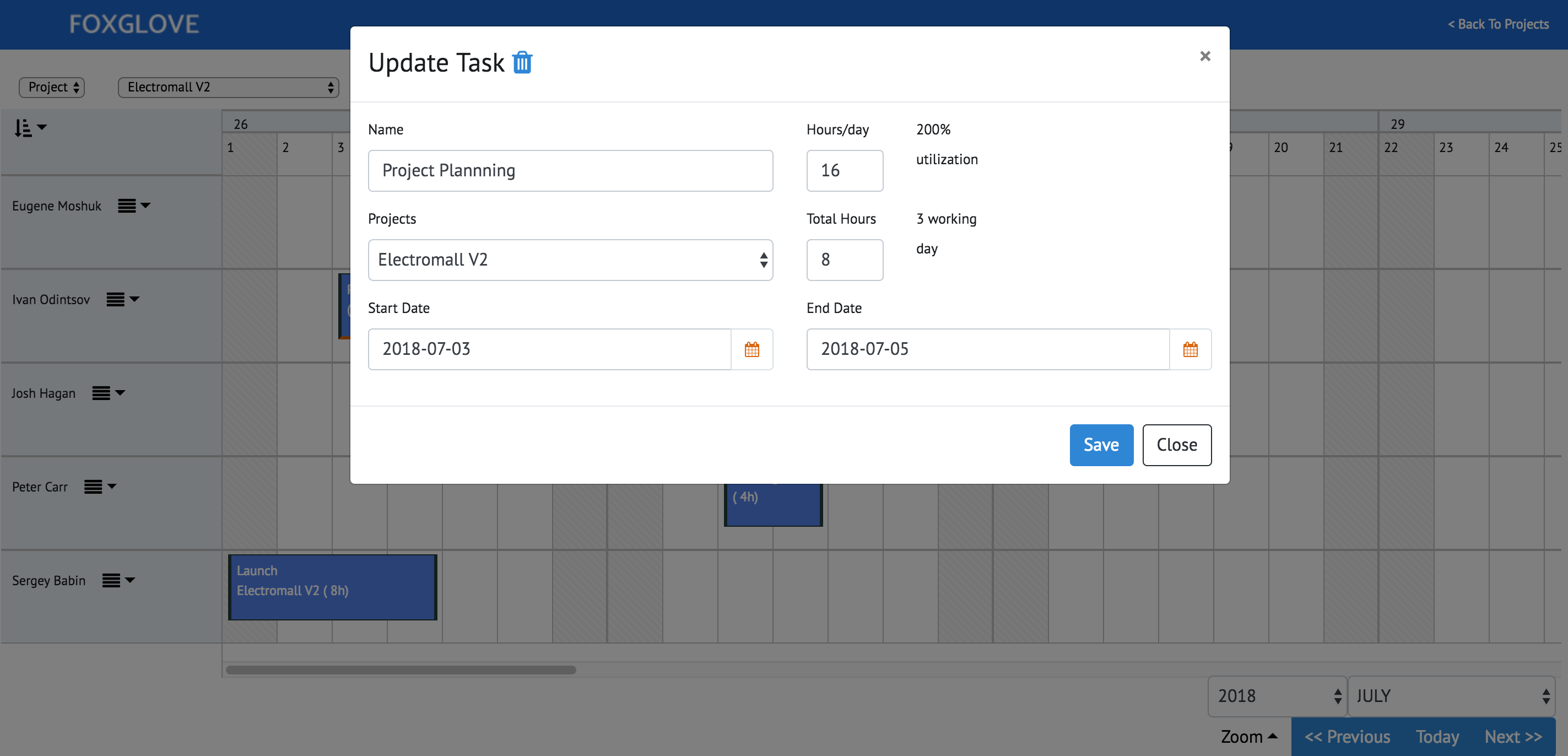
Manage change as it happens
Collaborate on project plans and resolve conflicts with real-time drag and drop scheduling.
The visual team planner
The schedule is a bird’s-eye view of who’s working on what and when. It's your one-stop shop for project scheduling and managing your team’s utilization.

-
1
Create Project/Team
Once you login in your dashboard, simply create a project(s), create team with assignment of project and start scheduling task.
-
2
Connect with Teamwork services.
Need to import your teamwork projects? Easy. If you place the teamwork api key on Fox-Glove, it start syncing automatically.
-
3
Report on the numbers.
Once you have tasks on visual scheduler, your reports are ready so you have a glance what is going.